
Improving office workflow has become a top priority for businesses aiming to work smarter, reduce waste, and control unnecessary spending. With print automation, organizations—especially those operating in Southern California—can streamline daily processes, strengthen document security, and reduce pressure on internal IT teams. Many businesses still rely on outdated printing practices and scattered devices, creating hidden costs. Nearly 60% of SMBs underestimate their annual print-related expenses, which leads to unmanaged output and workflow barriers. MPS provides visibility, control, and smart automation that can significantly support long-term productivity improvements.
What are Managed Printing Services?
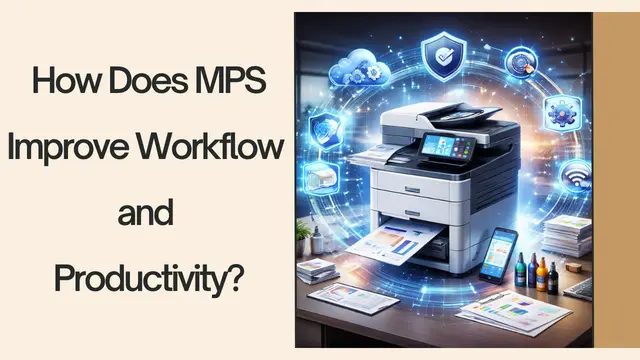
Managed printing services are a structured, strategic approach to controlling, optimizing, and automating print environments. Instead of allowing printing tasks to happen without oversight or tracking, MPS centralizes all activities—from monitoring supplies to managing multifunction devices. Businesses often underestimate the time spent troubleshooting printer issues, waiting for devices, or managing toner replacements. These disruptions erode employee efficiency and contribute to operational delays.
MPS programs evaluate the existing infrastructure, identify inefficiencies, and create a roadmap to reduce costs and improve workflow. This includes monitoring usage patterns, detecting unnecessary print behavior, and optimizing device placement so employees spend less time navigating printing tasks. The goal is simple: ensure that printing becomes a smooth, automated process rather than a source of frustration.
Another advantage of MPS is its ability to integrate digital workflows. Print automation tools convert repetitive manual steps into streamlined digital actions. Users can scan directly to cloud systems, route documents automatically, and retrieve them securely from any connected device. This creates a modern workplace that supports mobility, security, and efficiency.
The Hidden Cost of Unmanaged Printing
Unmanaged printing drains resources in ways that are often invisible. Office workers print large volumes without realizing how much these activities cost over the year. Paper waste, lost documents, and excessive color printing add to operational costs. Consumables such as toner, ink, and maintenance kits also create unpredictable expenses when handled reactively. That is why nearly 60% of SMBs underestimate their print-related spending—because it is not monitored consistently.
Beyond financial impact, unmanaged printing affects productivity. Employees may experience frequent device errors, paper jams, and slow printing speeds during busy hours. Each small interruption adds up, resulting in lost work time. IT teams are often the first to respond, even when the issue is a simple toner replacement, pulling them away from mission-critical responsibilities.
Energy consumption is another hidden cost. Older devices consume more power, run inefficiently, and lack advanced sleep modes. Without proactive monitoring, businesses pay far more in electricity usage than necessary. MPS helps identify power-hungry devices and recommends energy-efficient replacements.
Unmanaged workflows also weaken security. Printed documents left on trays can expose sensitive information. Without access control or tracking, organizations have minimal visibility into who printed what. MPS resolves these risks by implementing secure release printing, authentication, and monitoring systems that protect confidential data.
How MPS Enhances Office Workflow Efficiency?
Managed printing services streamlines daily operations by removing workflow bottlenecks and automating repetitive tasks. Instead of relying on manual processes, employees benefit from faster routing, simplified handling, and organized document movement across departments.
Key Workflow Improvements:
- Automated Document Routing
- Speeds up multi-level approvals
- Eliminates manual forwarding delays
- Ensures documents reach the right individuals instantly
- Optimized Device Placement
- Reduces time spent walking between departments.
- Improves accessibility to printing and scanning devices
- Encourages more efficient and smarter printing behavior
- Secure User Authentication
- Allows release of print jobs at any authorized device
- Reduces queue buildup and long wait times
- Eliminates abandoned print jobs and enhances confidentiality
- Mobile & Cloud Printing Integration
- Enables printing from laptops, smartphones, and tablets
- Supports remote and hybrid work environments
- Ensures access to documents from anywhere securely
Reducing IT Burden Through Smart Print Management
IT teams often become overwhelmed by printer-related issues that distract them from critical responsibilities. Managed printing services help alleviate this burden by centralizing print support and automating device management across the organization.
How MPS Reduces IT Workload:
- Centralized Print Support
- Reduces break-fix requests
- Allows IT to focus on high-value tasks
- Eliminates repetitive troubleshooting
- Proactive Remote Monitoring
- Detects issues before they disrupt workflow
- Resolves problems like jams and misaligned cartridges
- Applies updates and patches automatically
- Standardized Device Configurations
- Simplifies troubleshooting across departments.
- Reduces the number of printer models IT must manage
- Ensures consistent performance organization-wide
- Enhanced Security Support
- Uses authentication to prevent unauthorized access
- Protects data with encryption and audit trails
- Minimizes security risks at every print stage
Improved Visibility and Control Over Print Usage
Visibility is essential for stronger cost control and smarter workflow decisions. MPS offers detailed analytics that highlight usage trends, wasteful printing habits, and device performance patterns, allowing businesses to make informed improvements.
Where Visibility Adds Value:
- Usage Tracking & Reporting
- Monitors print volumes and color usage
- Highlights department-level consumption
- Identifies wasteful printing habits
- Device Optimization
- Moves underused printers to better locations.
- Reduces overloaded devices in high-traffic areas
- Balances workflow across teams
- Rule-Based Print Controls
- Restricts color printing to specific users
- Enforces duplex printing to save paper
- Increases accountability through user authentication
- Better Supply Forecasting
- Predicts toner and paper requirements
- Reduces emergency purchases
- Supports planned procurement cycles
Strengthening Security in the Print Environment
Printed documents can expose sensitive information if left unmanaged. MPS boosts security by adding multiple layers of protection to every stage of the print process, from authentication to data encryption.
Security Enhancements Delivered by MPS:
- Secure Release Printing
- Prints only when the user authenticates
- Prevents documents from being left unattended
- Supports PIN, badge, or mobile authentication
- Data Encryption & Audit Logs
- Protects data in transit and storage
- Tracks who printed what and when
- Supports compliance with regulations
- Automatic Firmware & Patch Updates
- Closes security vulnerabilities
- Reduces exposure to cyber threats
- Ensures devices are always up to date
- Network Segmentation & Real-Time Monitoring
- Isolates printers from sensitive systems
- Detects unusual activity immediately
- Prevents unauthorized access attempts
Real Impact: Reduced Costs and Better Productivity
MPS delivers measurable improvements, cutting print costs while enhancing productivity and operational stability. With automated systems and optimized device placement, organizations gain smoother workflows and stronger security.
Key Benefits and Outcomes:
- Cost Reductions
- Saves up to 30% through automation and optimization
- Reduces paper waste and unnecessary color printing
- Lowers long-term maintenance expenses
- Higher Workplace Productivity
- Fewer interruptions and faster document access
- Reduced device downtime with predictive alerts
- More streamlined and reliable workflows
- IT and Employee Efficiency
- Less reliance on IT for printer support
- Employees spend less time dealing with device issues.
- Hybrid teams gain flexible access across locations.
- Improved Operational Control
- Strengthens decision-making through analytics
- Enhances security for sensitive information
- Creates a more organized and cost-effective print environment
Schedule a Print Environment Review
If you’re ready to streamline your print environment, reduce waste, and eliminate daily workflow frustrations, now is the perfect time to take action. Contact us today for a comprehensive print environment review with Circle MSP, and discover how managed printing services can lower costs, enhance productivity, and bring greater visibility to your office workflow. Our experts will assess your current setup, identify hidden expenses, and design a strategic print automation plan tailored to your Southern California business needs.
Frequently Asked Questions
How does MPS help with compliance requirements?
Audit logs, encryption, and controlled access ensure compliance with privacy, legal, and industry regulations.
Does MPS work with mobile printing?
Yes. Employees can print securely from phones and tablets using approved apps or authentication tools.
What kind of data does MPS track?
Print volume, color usage, device performance, department usage, waste patterns, and supply trends.
Does MPS improve employee productivity?
Absolutely. By minimizing printer issues, automating workflows, and improving device accessibility, employees stay focused and productive.
How much does managed Printing Services typically cost for a business?
Managed Printing Services costs vary by business size and device needs, but most companies save up to 30% overall.